Mobii App Redesign

Redesiging a content delivery engine to increase engagement.
I redesigned the Mobii Android and iOS app at ACTV8me to improve the experience in response to declining engagement and an unsustainable effort cost, focusing on a tactile high-impact UX to re-engage users.
Role:
Designer

Role

  • Product Designer
  • UX research and design
  • User testing

Deliverables

  • Wireframes
  • Hand-off ready design
  • Sketch/HTML/CSS Web templates

Tools

  • Abstract
  • Illustrator
  • InVision
  • Sketch
  • Photoshop
About

Overview

An interface that connects users and brands through timely, actionable content

Content that lives in the ACTV8me CMS is served to users through the Mobii app or SDK embedded in a client’s app. Mobii receives and feeds content through various trigger mechanisms such as listening, geofencing and beacons. Through continued use, we could use the data to refine the targeting and deliver increasingly relevant content to users ideally increasing product engagement from the user side resulting in sales on the business side.
Tactile + Shippable

Challenge

Improve daily interaction, reduce friction, ship with intent.

Users weren't interacting with the main experience. The app was draining resources and results weren't hitting levels needed to impress partners. We needed a solution that balanced user interactivity, implementation capability and deliver results that partners would note. I looked at our users and thought of ways we could retain through design.
  • How do we maintain or improve daily active user engagement without as much external reliance on content (cost)?
  • How can we make the product more tactile and pleasing to interact with? The current version wasn’t getting much interaction resulting in a significant amount of content not being surfaced to many users.

  • How can I help facilitate the design making it to production with design intent? There had been many ideas and beautiful concepts previously being thought of and designed, but much of it wasn’t being translated to anything functional by the developers, I needed to find out why.
Product Direction

Goals

Reduce friction across product and process.

User engagement dropped sharply outside of active campaigns and events. The redesign focused on creating a more rewarding everyday experience while simplifying delivery for the internal team.
  • Increase the general user experience when interacting with the product. The app needs to be more pleasing to use when there are no external events active. Focus on details, polish and interaction.
  • Design a solution that the development team could deliver. The gap between design and development needed to be lessened and deliverable quality more aligned with intent.
  • Increase content depth without adding significant developer effort. Determine a method to create content that augments the app experience with as little development effort as possible.
User Flow Definition

Product Experience Architecture

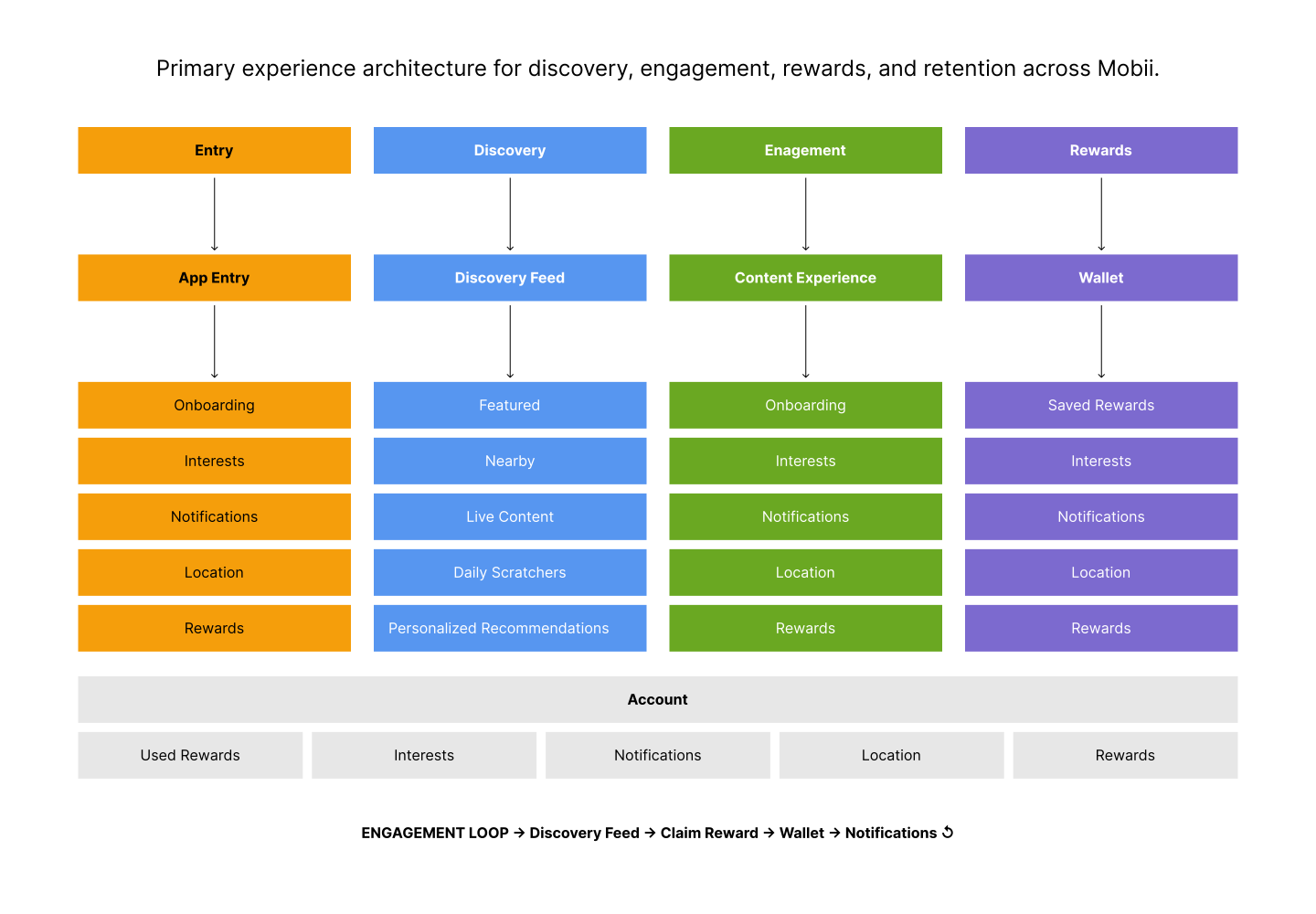
To support long-term engagement, I refocused the structure around a modular discovery - emphasized by the new main view and supporting interface elements - and rewards ecosystem designed to connect content, interaction, and retention into a continuous user experience loop. The platform centered on personalized discovery, interactive content experiences, and wallet-driven reward systems that encouraged repeat engagement over time.
  • Discovery-first experience: Centralized content surfaces including live experiences, nearby activations, featured content, and personalized recommendations into a unified discovery card feed
  • Engagement loop design: Connected interactive content and reward claiming into a repeatable cycle that encouraged ongoing return usage and deeper user participation
  • Modular systems thinking: Structured onboarding, engagement, wallet, and account systems as scalable experience pillars capable of supporting future expansion and partner integrations
  • Progressive personalization: User actions informed content relevance over time, helping shape a more contextual and adaptive experience stream (adaptable in through the dashboard)
  • Retention through rewards: Wallet-based reward management created a persistent value layer that extended engagement beyond individual content sessions
User experience architecture diagram.
The Content problem

High Level Findings

Three major issues surfaced: user interaction drop-off, detrimental reliance on limited content, and low content interest.

  1. Extreme drop-off rate on primary content view. Analyzing user engagement showed very little interest in any content in the feed content beyond what was immediately visible. There was no interest in exploring further resulting in significant loss of effort.
  2. Without external events, users didn’t know what to do beyond scratchers. Despite all the powerful capabilities, they often weren’t actually in play so users commented that there was very little perceived value besides the Daily Scratchers which had a similar problem.
  3. High effort low result content model. Utilizing a manually aggregated content feed required a significant and unsustainable amount of effort for the cost from the business, content, and design teams.
Primary Problem Solution

Problem, Solutions, and Testing

Since the redesign conclusion was strongly influenced by the main experience, how can I make content engagement more pleasing and reflect the nature of the product?

  • Methods: Iterative testing and observation, small group contributor discussions and informal user interviews
  • Participants: ~20 users consisting of: current users, new users, in-house users and stakeholders

Current Problem: Too Little User Content Consumption

Despite a consistent flow of content, user engagement remained low across the experience, resulting in limited interaction and weak overall performance.
The issue was not a lack of content, but a disconnect between how content was delivered and how users were willing to engage with it.
  • Low feed engagement: Data showed minimal scroll depth, with very few users interacting meaningfully with content
  • High effort, low return: Content required significant team resources to produce and maintain, with limited ROI
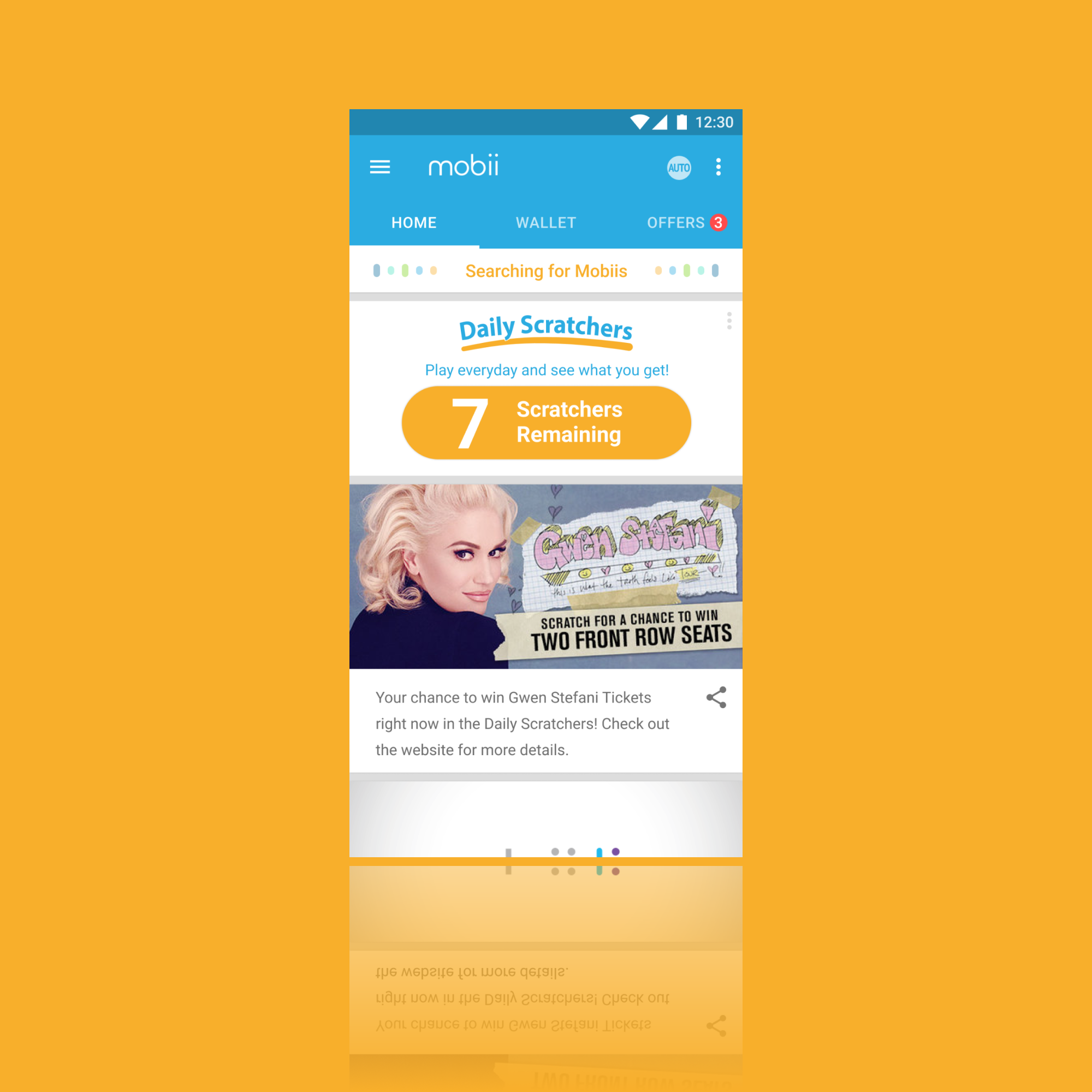
  • Underperforming core feature: Daily Scratchers, intended as a primary engagement driver, failed to meet expected interaction levels
Mobii feed design that was performing poorly.

Looming Problem: Redesign Friction

The team wasn't happy with the redesign direction. It wasn't providing product confidence or excitement.
This is what brought me into the project.
Mobii redesign in-progress that wasn't inspiring the team.

Solution Overview #1: Contextual Companion

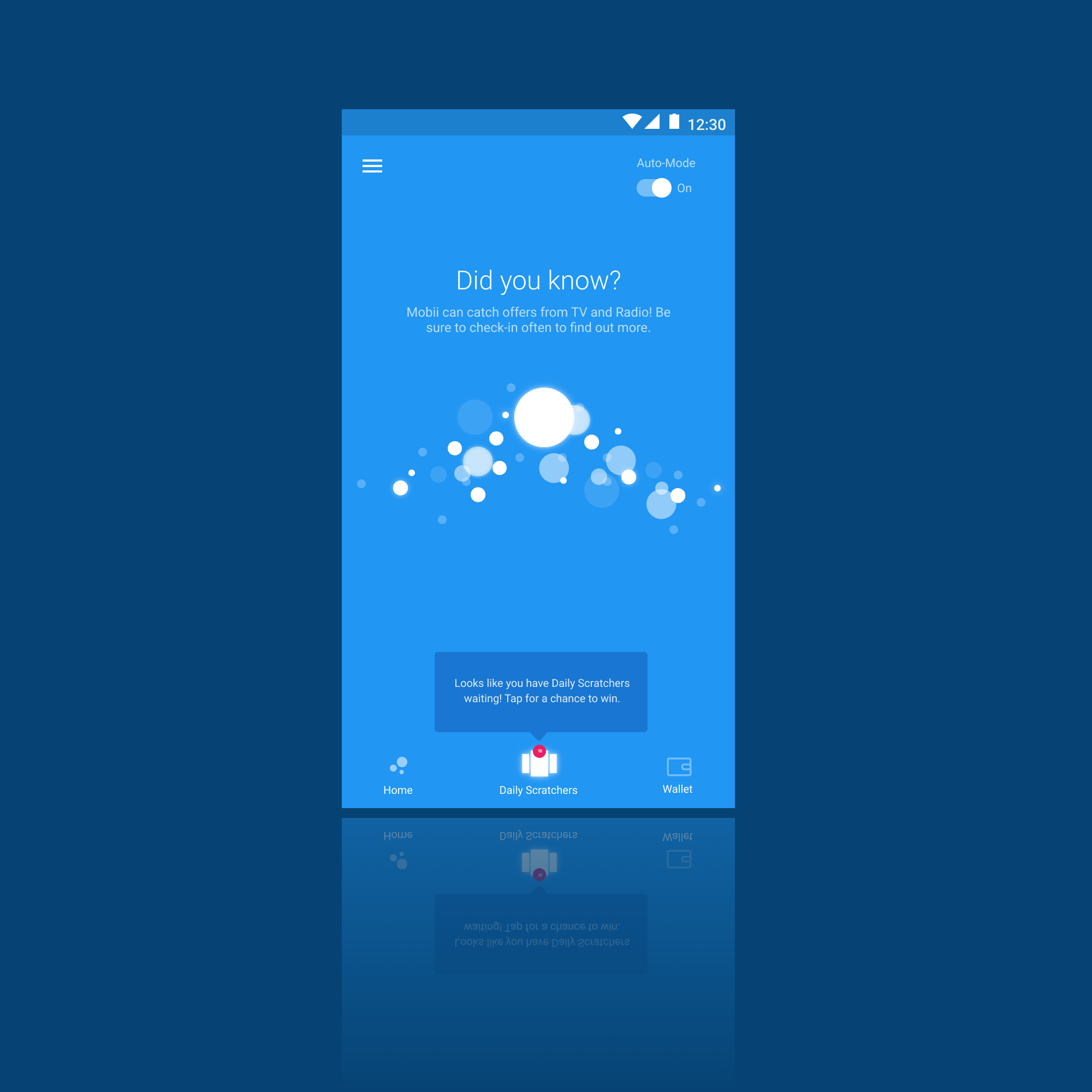
This approach used a contextually-driven engine experience through an animation state with message and typography that would respond to triggers. Audio, geofences, and proximity would trigger interactions would alter the interface.
It was too hard to understand —— it didn't get beyond prototype.
My redesign direction emphasizing an contextual atmospheric experience.

Solution Overview #2: Hybrid Activity

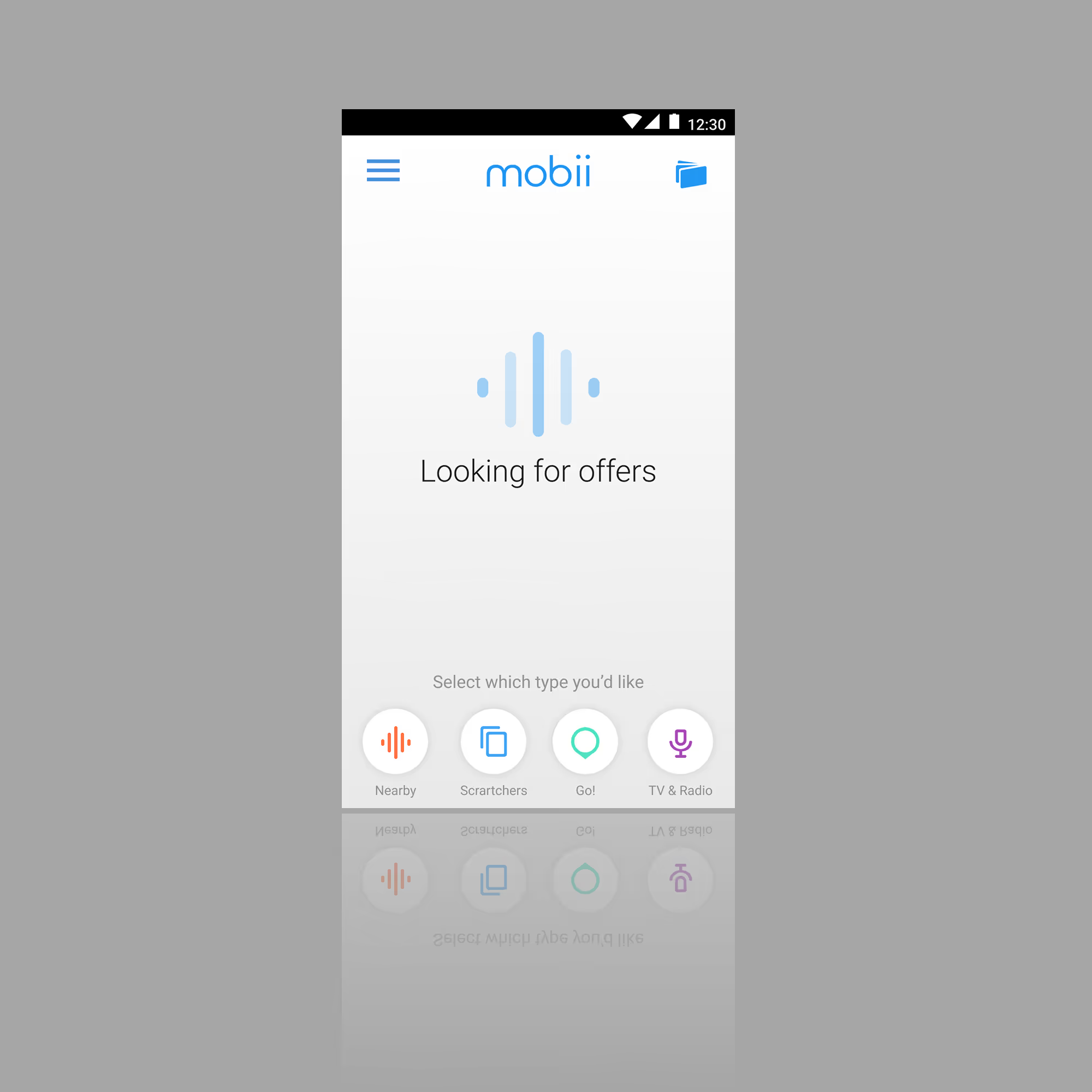
This approach combined an animation state with a selectable sensing context such as proximity, scratcher, augmented reality, or listening. Essentially a modular version of the context-driven approach.
The team wasn't excited, testing was boring —— it didn't get beyond the prototype.
My redesign direction featuring a segmented contextual experience.

Solution #3 Overview (Selected): Card Stack

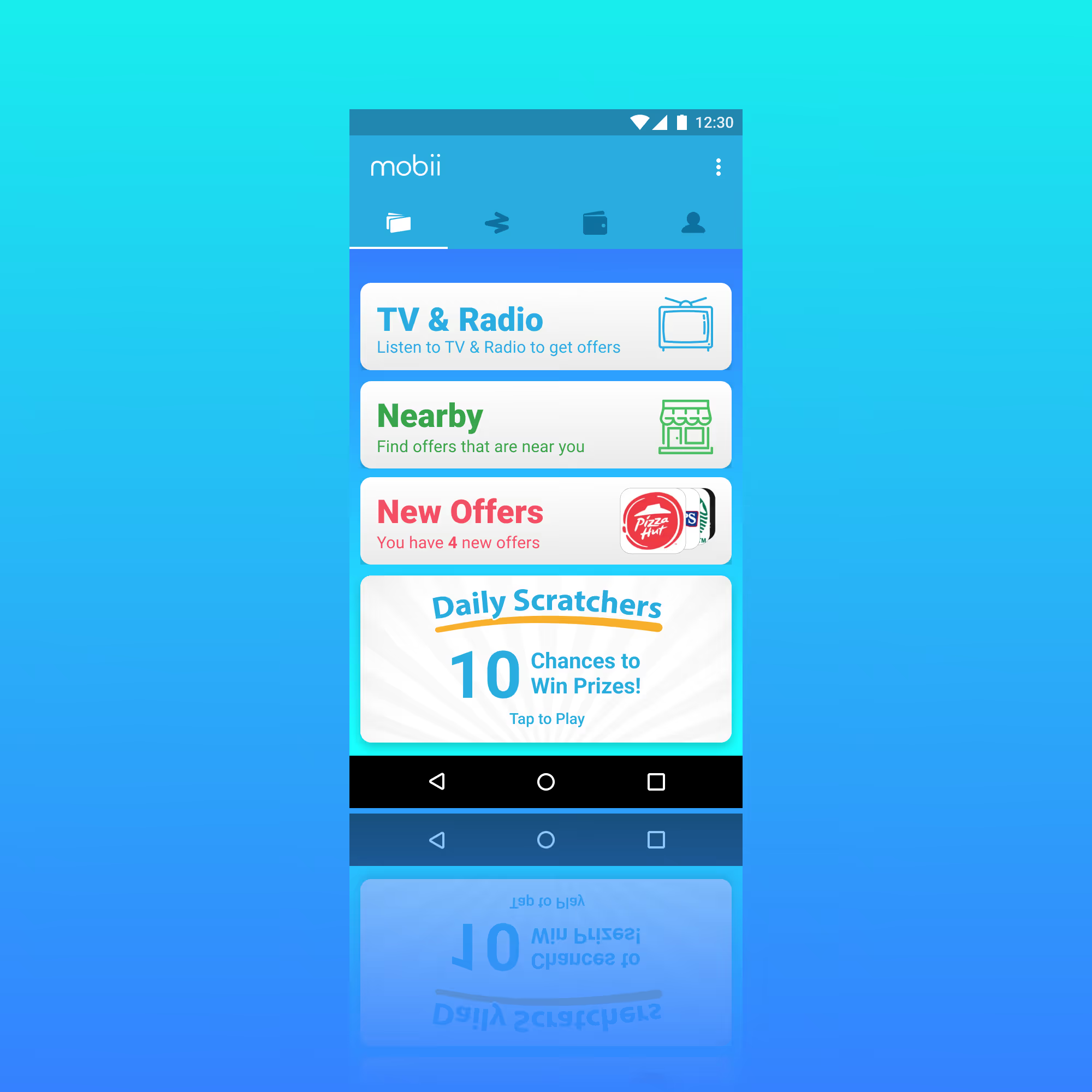
This was my all-in on a tactile experience. It provided a balance of realistic engineering requirements and interaction level. It included a new content type called Story that I designed to replace the feed from the previous version. The card content and analytics were handled by the dashboard I redesigned.
This version was deployed in several major campaigns included AMC Networks and Univision.
My redesign direction featuring a tactile card experience.
Interaction Redesigned

Experience Direction

To address engagement, I explored a swipe-based card interaction inspired by familiar patterns from dating apps — creating a simple, intuitive way to evaluate and respond to content. User actions informed preference building, allowing partnership offers to be filtered into a progressively more relevant stream over time. While the ideal swiping interaction wasn’t fully realized, the final solution achieved a balanced and effective compromise.
  • Familiar interaction model: Swipe-based cards leverage known patterns to reduce learning curve and increase engagement
  • Progressive personalization: User actions build preferences, shaping a more relevant content stream over time
  • Practical execution: Delivered a balanced interaction that maintained intent while aligning with technical constraints
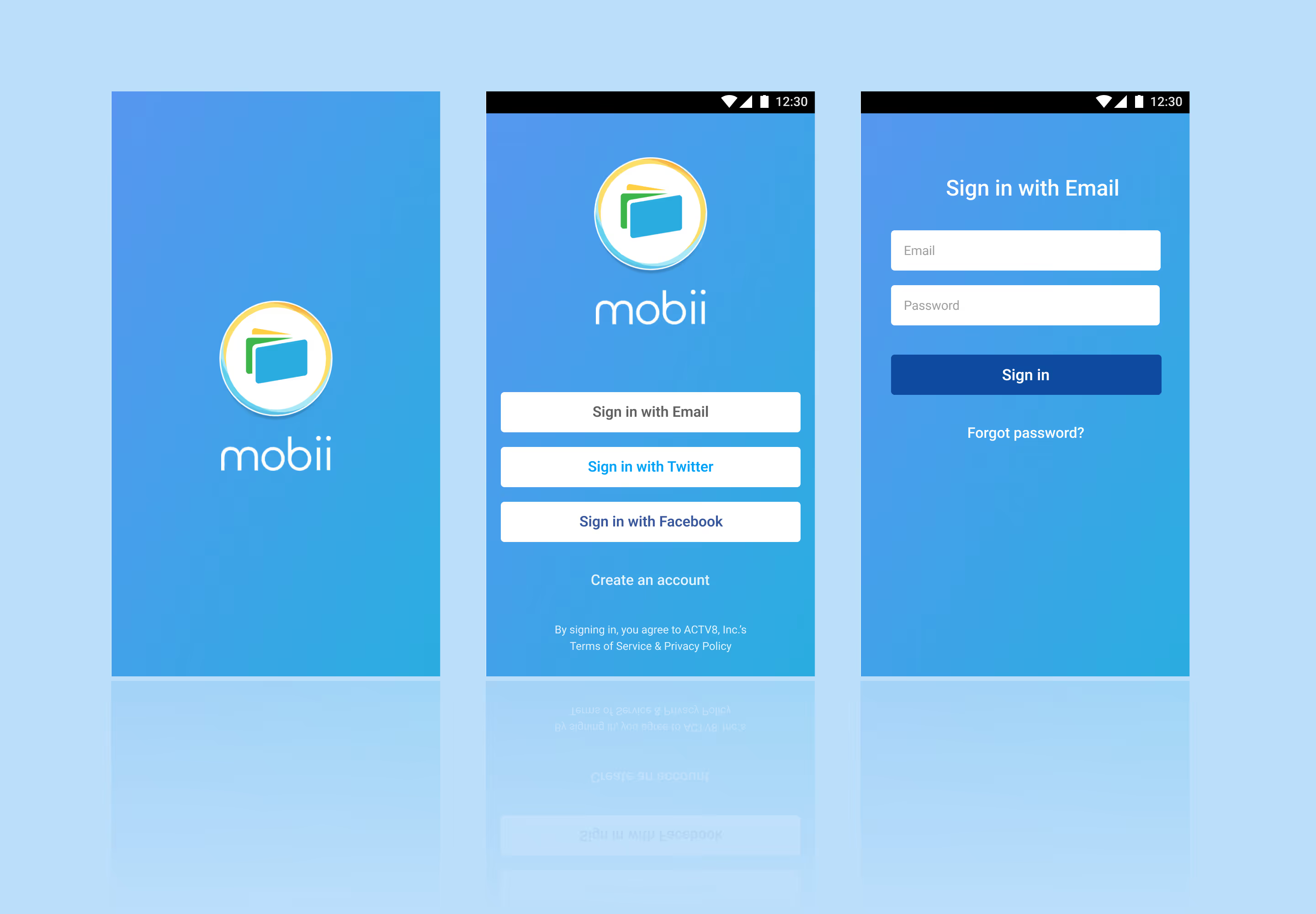
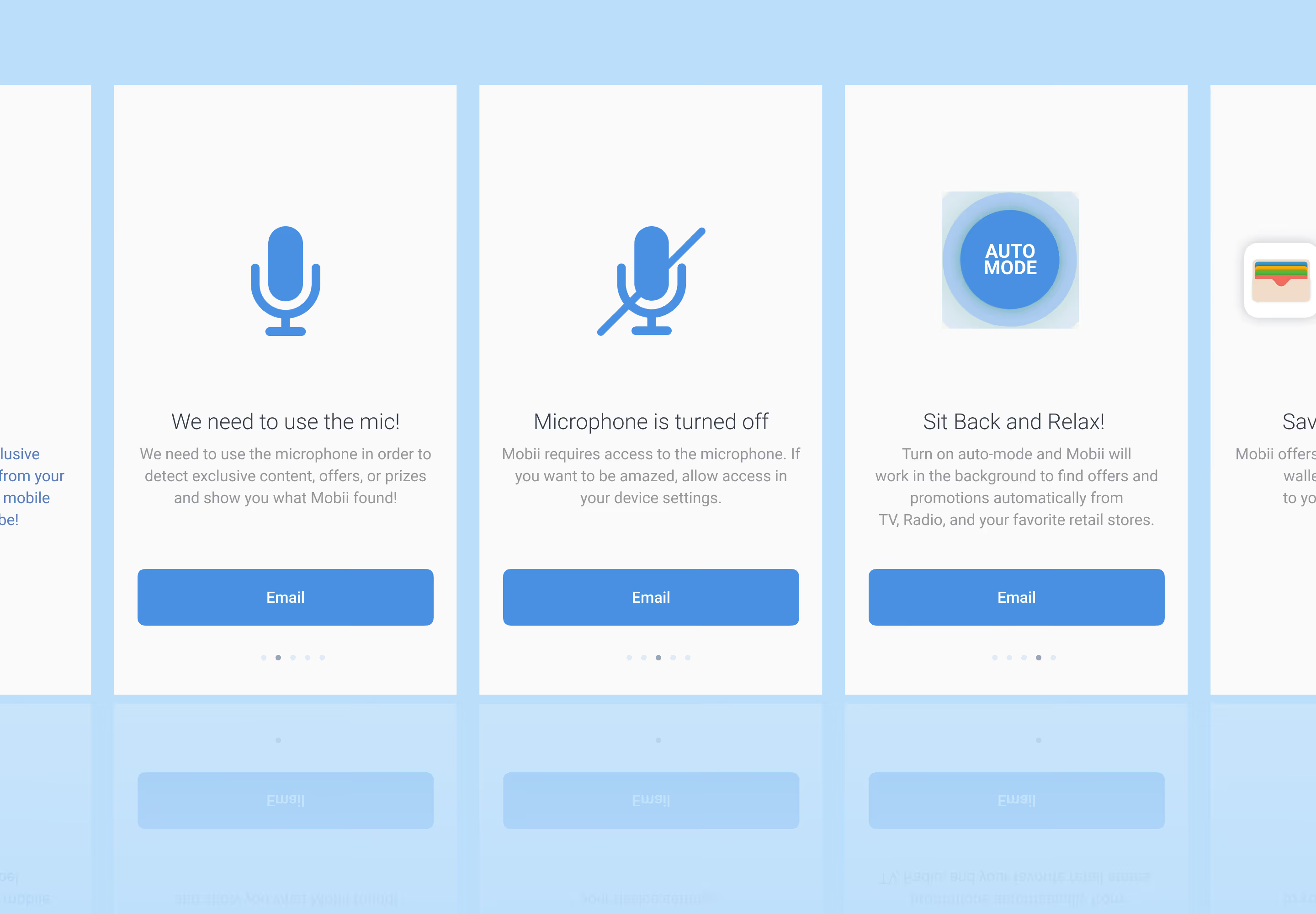
Mobii redesign of login flow.Mobii redesign of the onboarding flow.
Content Feed

Relevant and Flexible Content

I designed a story card feature to replace the filtered content feed. These cards could be manipulated in the dashboard through a new Story Card View. This allowed for the content and design teams to create content in support of user interaction through micro-sites or in support of campaign from partnerships. I designed one for each type of available interaction —— static, content with details, and linked content.
  • Immediate campaign support: Delivered relevant, actionable content in real time
  • Sustained content pipeline: Provided ongoing assets to pair with microsites
  • Increased campaign visibility: Extended exposure for upcoming initiatives
  • Cohesive cross-channel experience: Aligned seamlessly with social team efforts
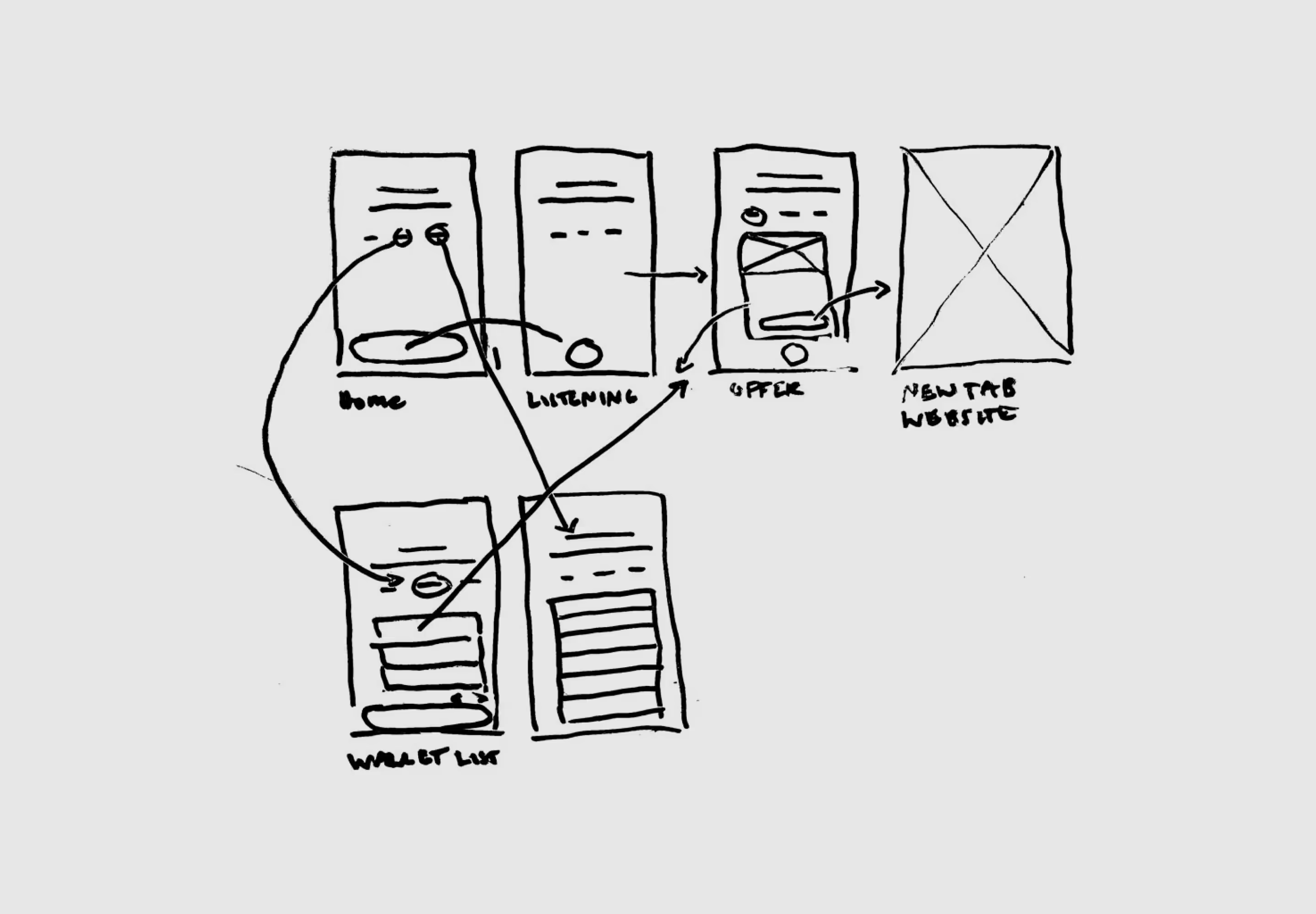
Content interaction sketches.Mobii redesign of story card art direction.
Triggered Content

Evolving Targeted Content

We also needed a fuller, more dynamic and long-term solution, so after the Story Card Feature I designed a Targeting, Category, and Tag set of components on the dashboard that would increase relevance over time automatically. Triggers could be would be weighted through user actions (more engagment, more content type) and targeting which would automatically send relevant content to the right users and only get better over time.
  • Increased relevant content would have increased engagement
  • Eventually the platform would choose content itself based on availability
  • Combined with Story Cards and the new experience, I aimed for a long-term product solution
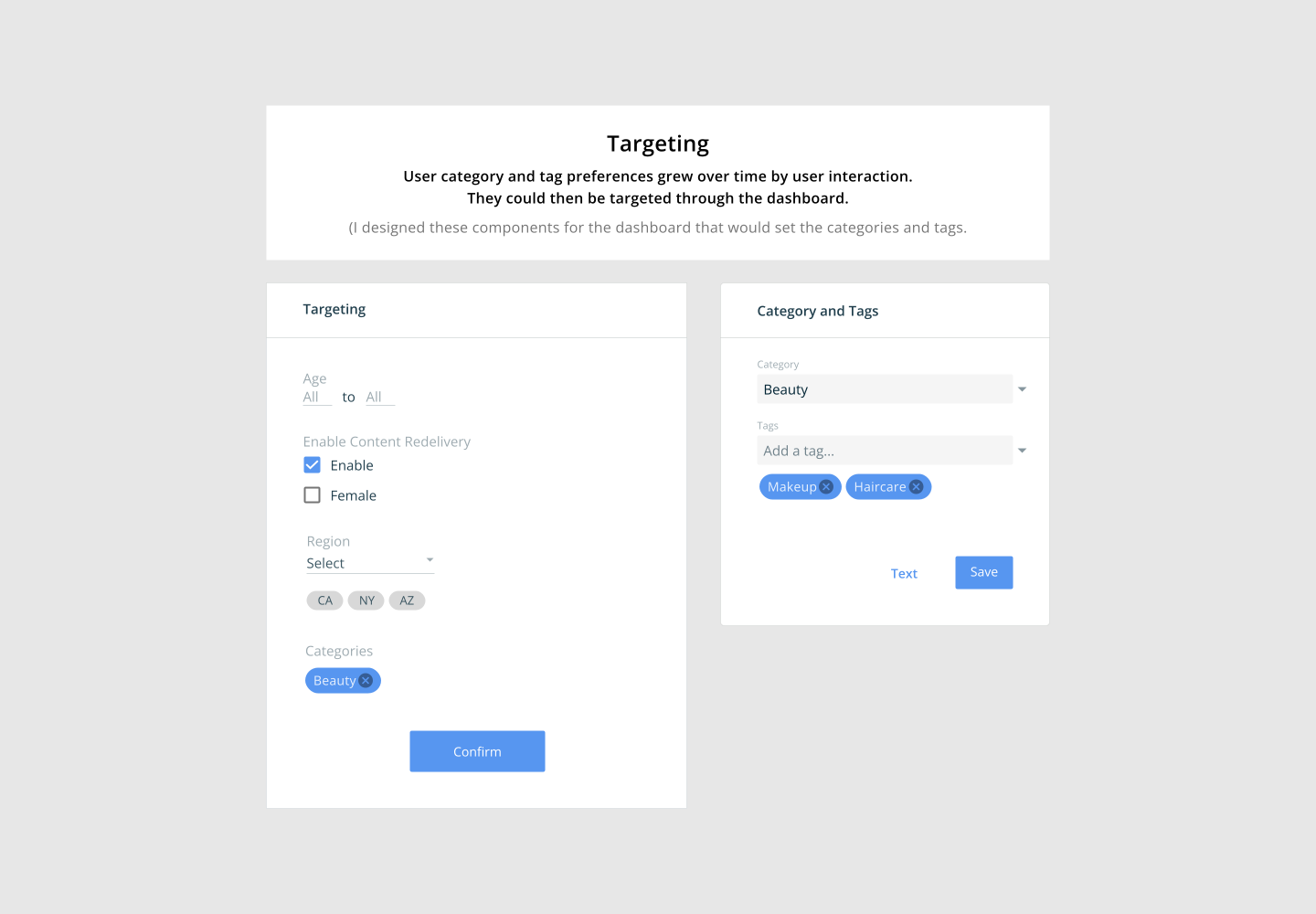
Mobii redesign of story card art direction.Mobii redesign of content detail flow.
Simple Visual Language

Simplified Content Direction

I developed a visual language which emphasized simplicity. Using Sketch I built out a basic template set so that the team could stay relatively cohesive. I had three core objectives for this direction:
  • Simplified experience: Designed for easy consumption to address low user interaction
  • Shared creative workflow: Unified team collaboration through Sketch
  • Structured asset control: Managed versioning and consistency via Abstract
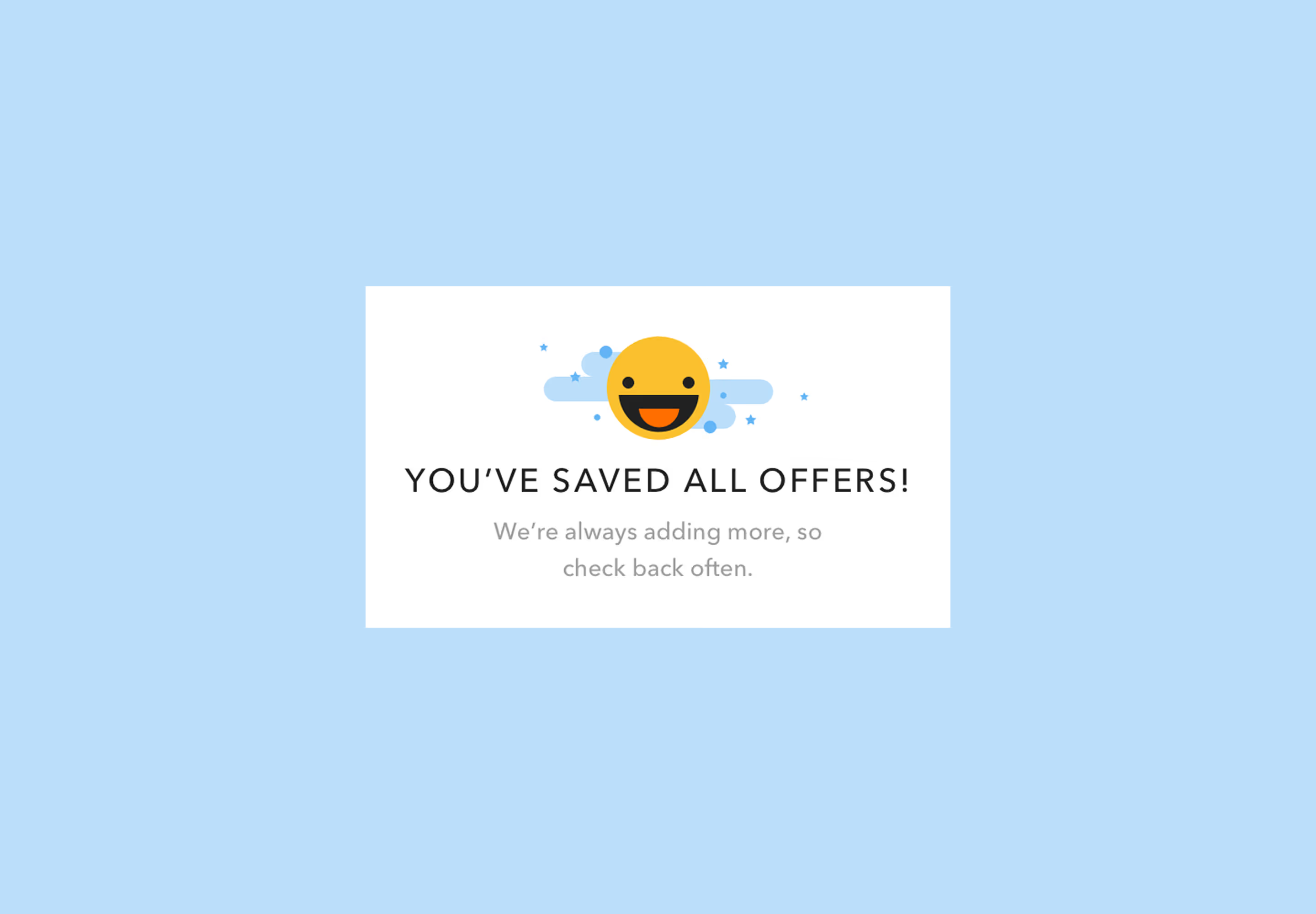
Mobii redesign of all offers saved modal.
Detection Drawer View

Persistent Collection Wallet

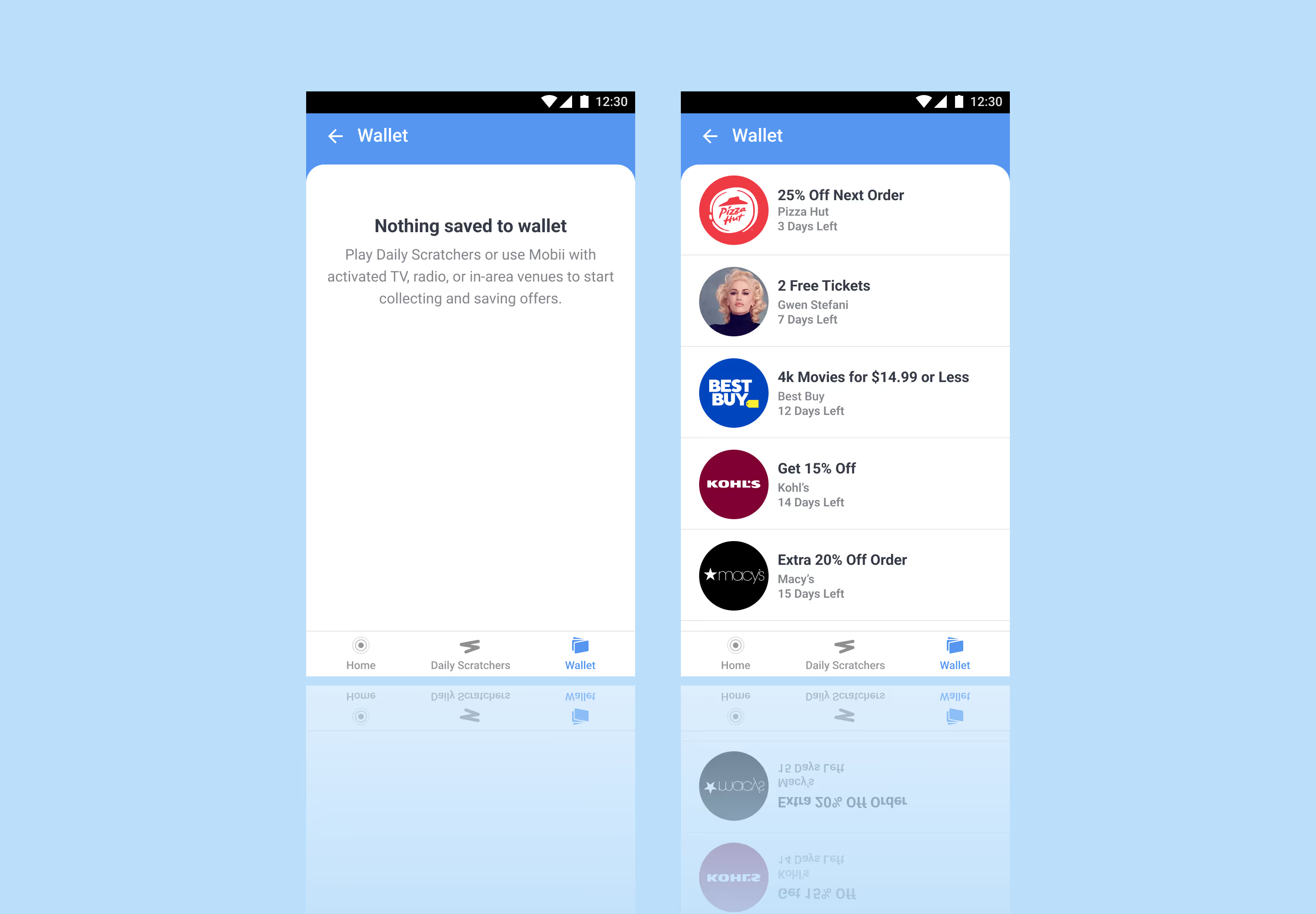
Being that low content engagement was the primary issue, I designed a detection drawer view that would bring content directly to the user.
  • Reduced friction discovery: Content surfaces directly within the interface, minimizing effort and increasing engagement
  • Expanded, low-pressure collecting: Continuous collection groups present more options without overwhelming the user
  • Contextual relevance: Drawer delivers timely, targeted content aligned with user behavior and intent
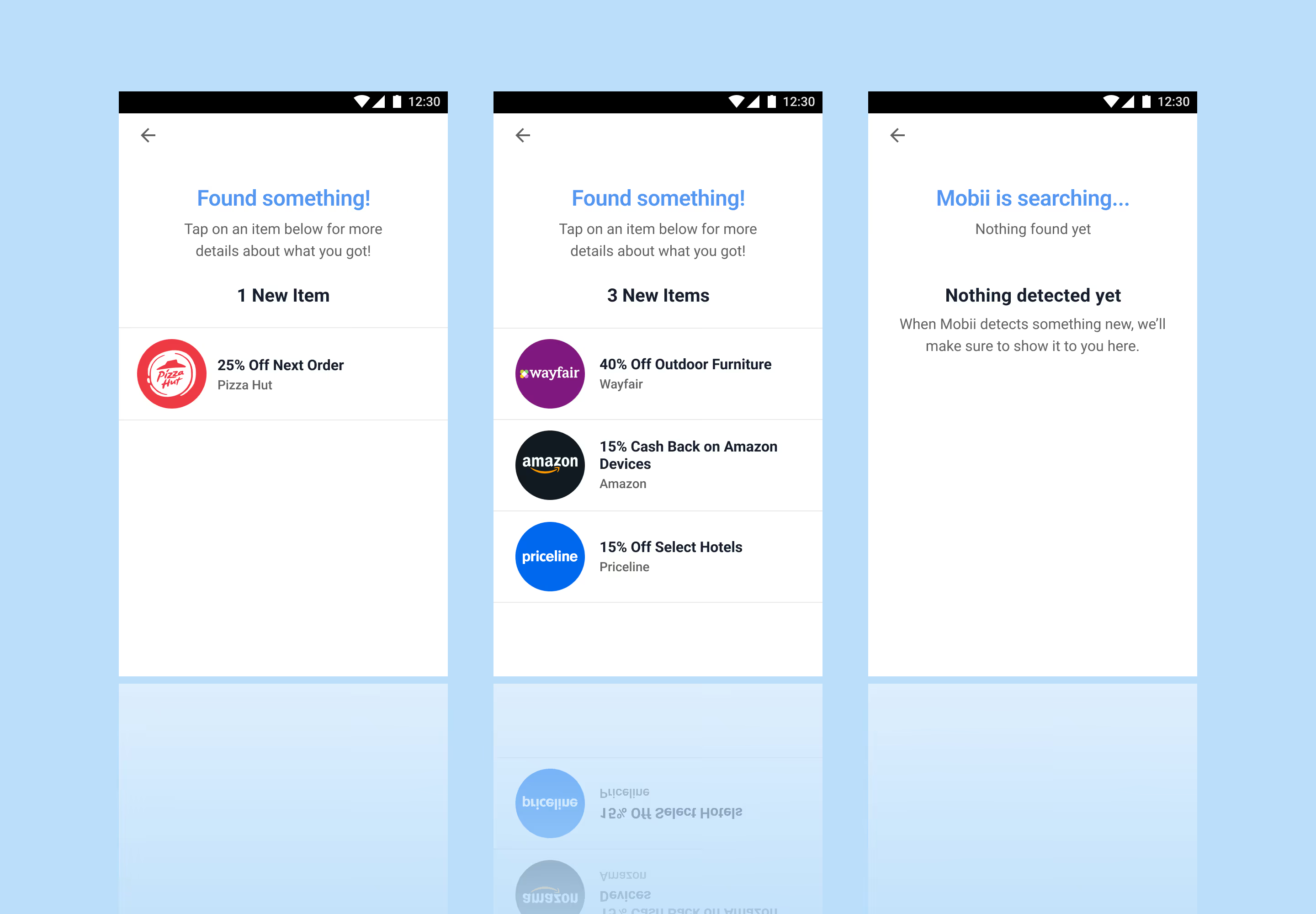
Mobii redesign of the detection drawer.Mobii redesign of the wallet.
Redemption Views

Redemption

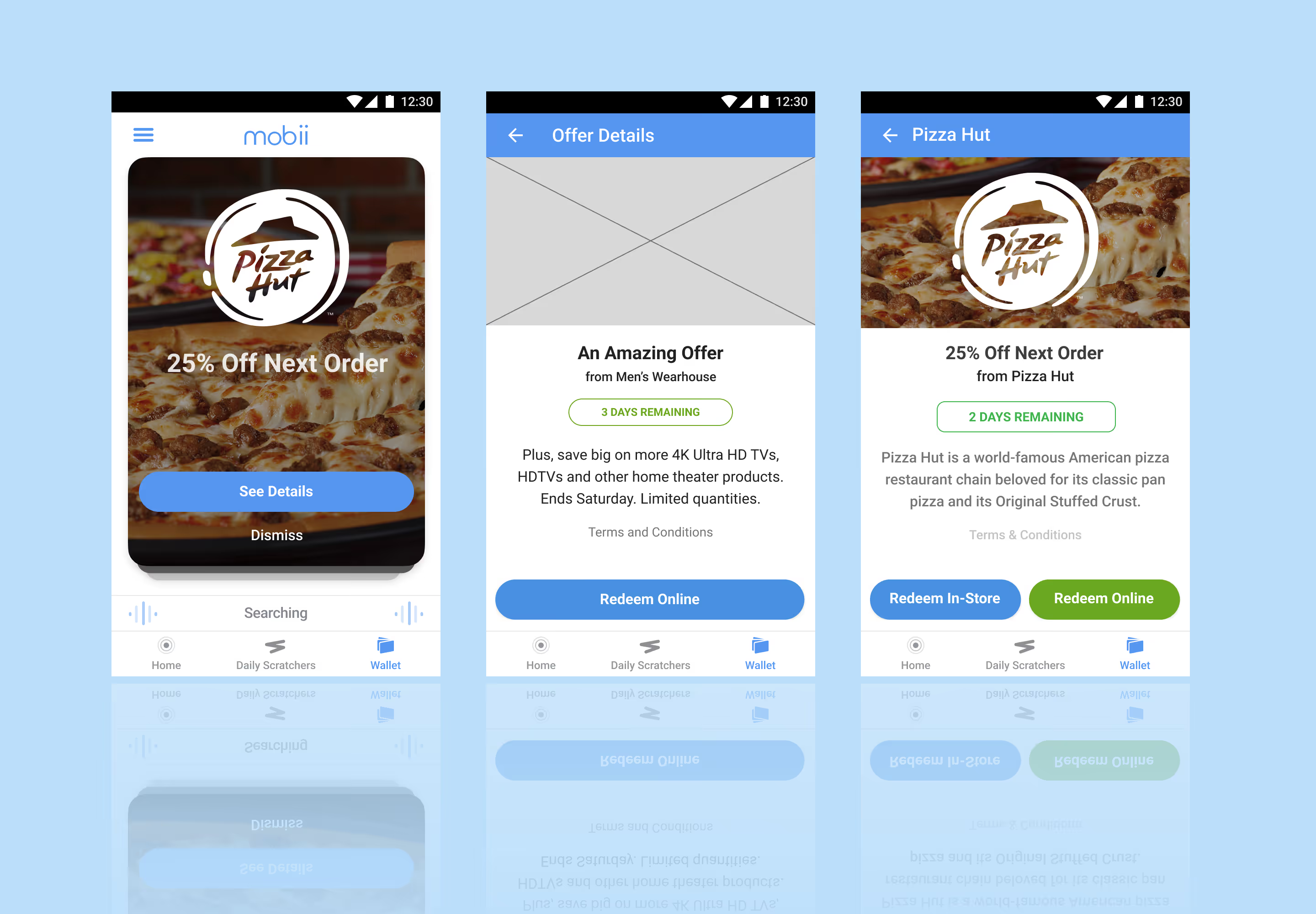
To streamline the final step of the experience, I designed flexible redemption views that clearly present either an in-store code or an online attached offer code, ensuring users can act immediately with confidence.
  • Clear action pathways: Distinct in-store and online states remove ambiguity and guide users to the correct redemption method
  • Immediate usability: Prominent, ready-to-use codes reduce friction at the moment of conversion
  • Context-aware presentation: View adapts based on offer type, ensuring relevance and clarity across redemption scenarios
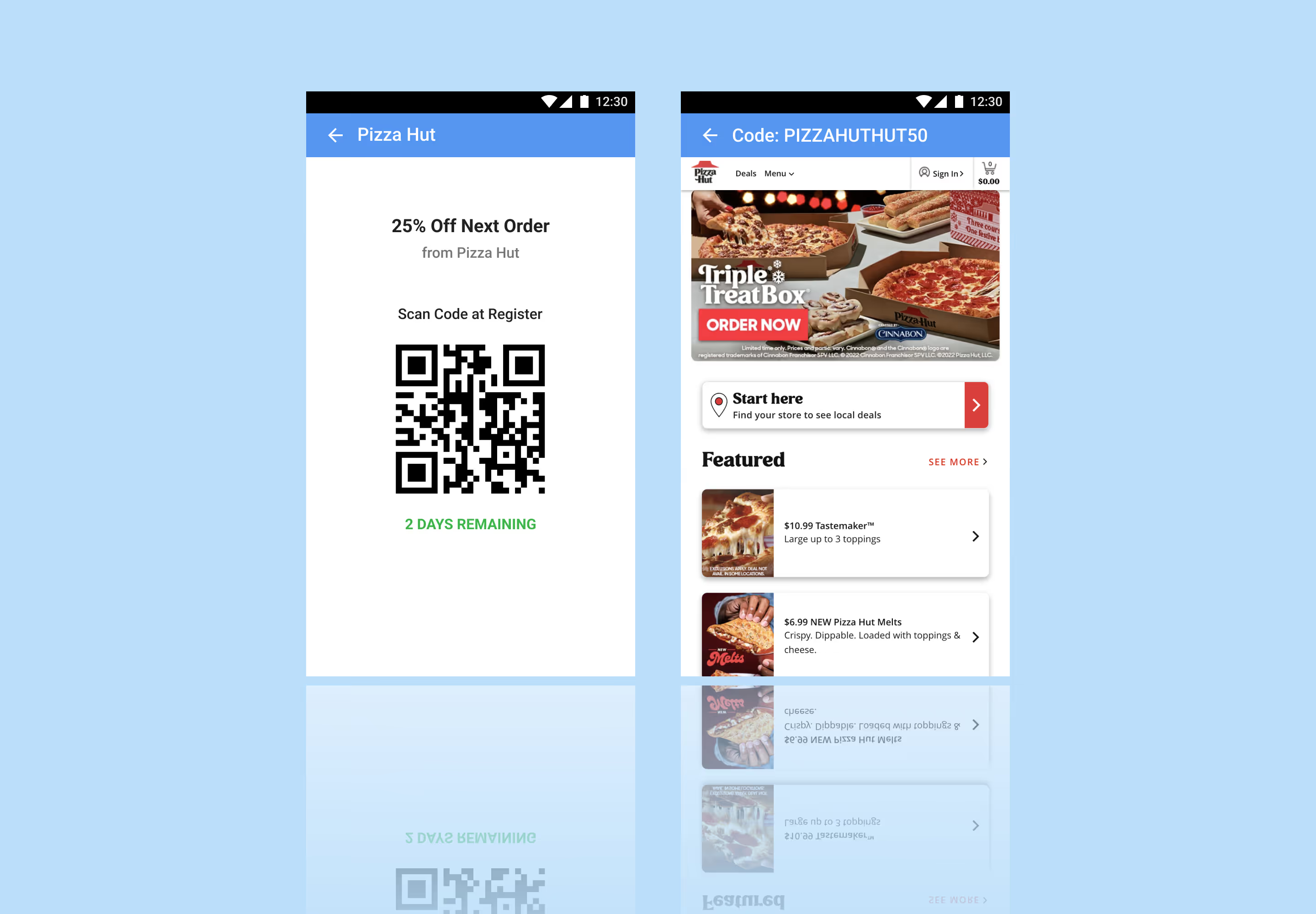
Mobii redesign of redemption modes.
Quality Assurance View

Developer (QA) View

I designed a developer or quality assurance (QA) view to help with troubleshooting to help reduce the back-and-forth when working on updates.
  • Aligned development handoff: Clear, accurate sharing of environments with developers
  • Controlled feedback modes: Toggleable settings to scope and focus feedback
  • Stronger cross-functional clarity: Improved alignment across business, product, and communication streams
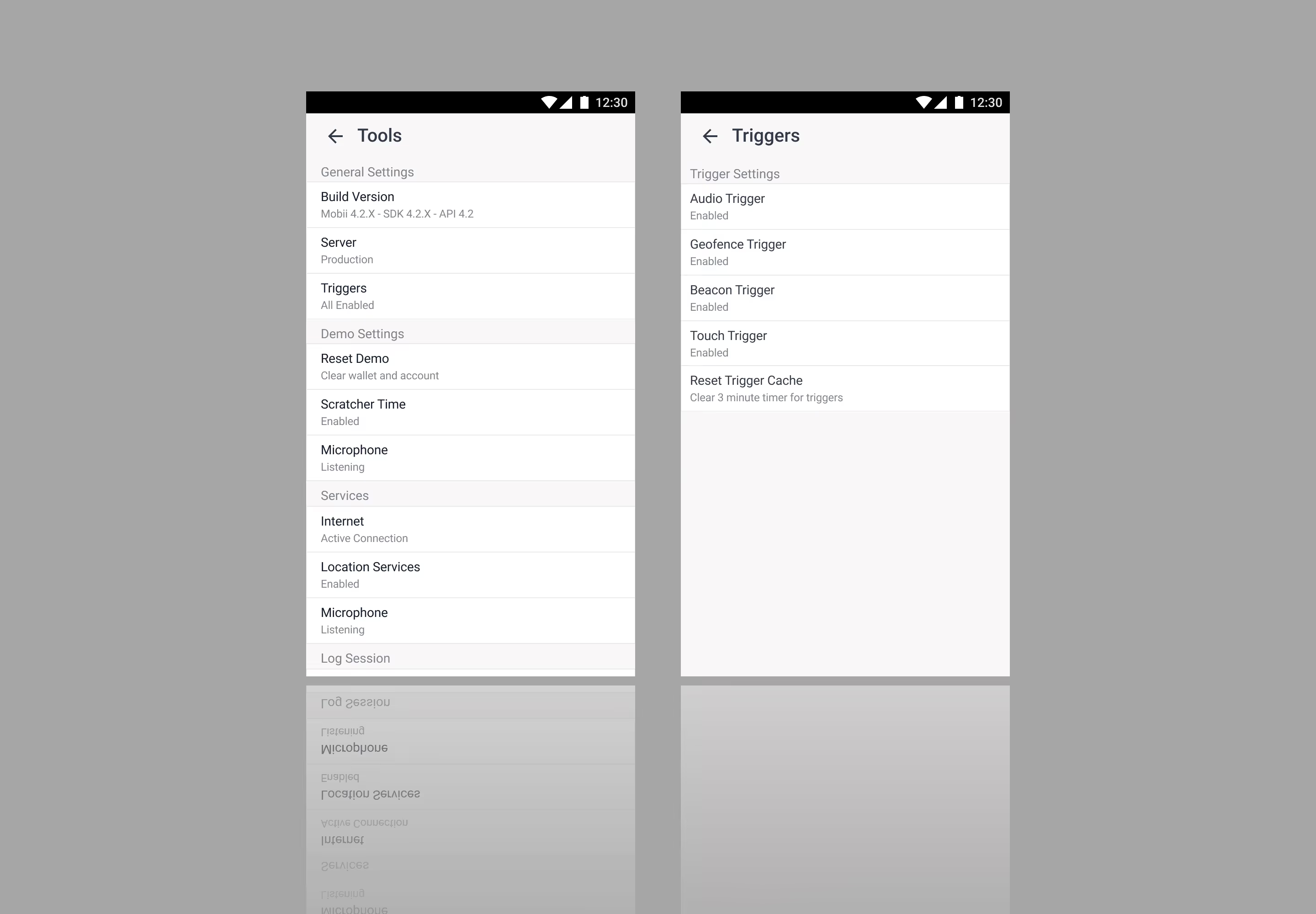
Mobii redesign of development tools.
Core Experience

Daily Scratchers

Reimagining digital content scratchers.

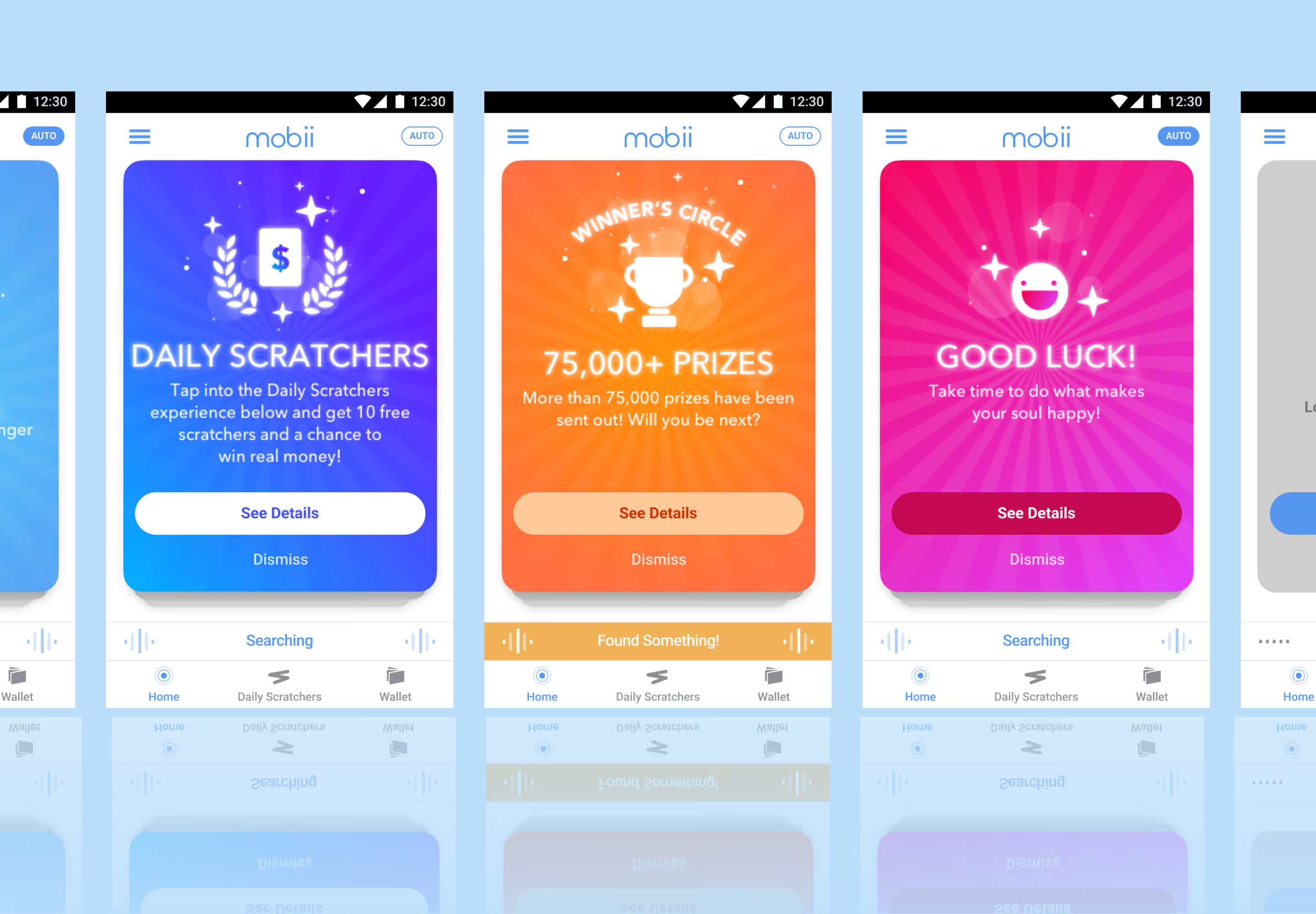
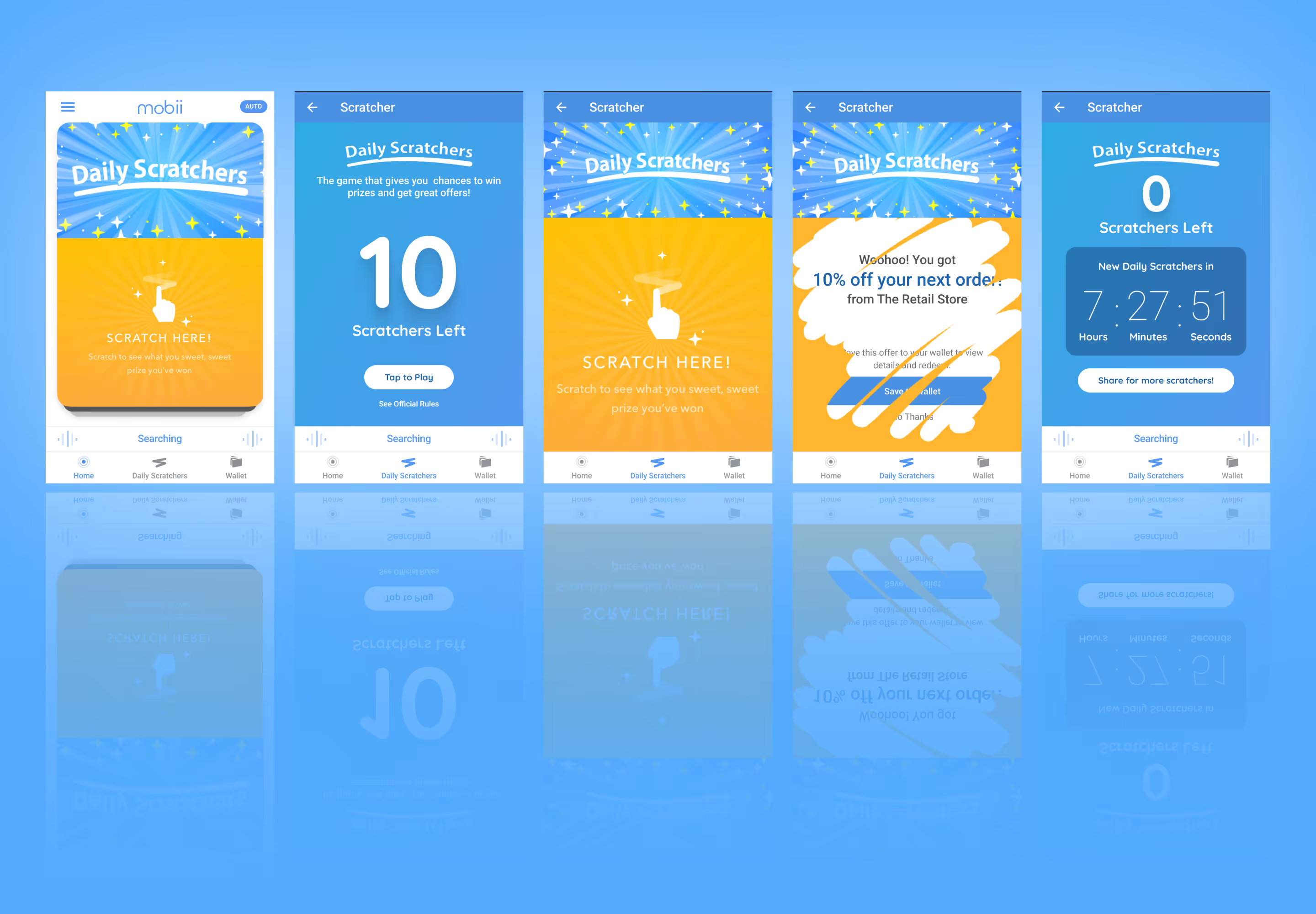
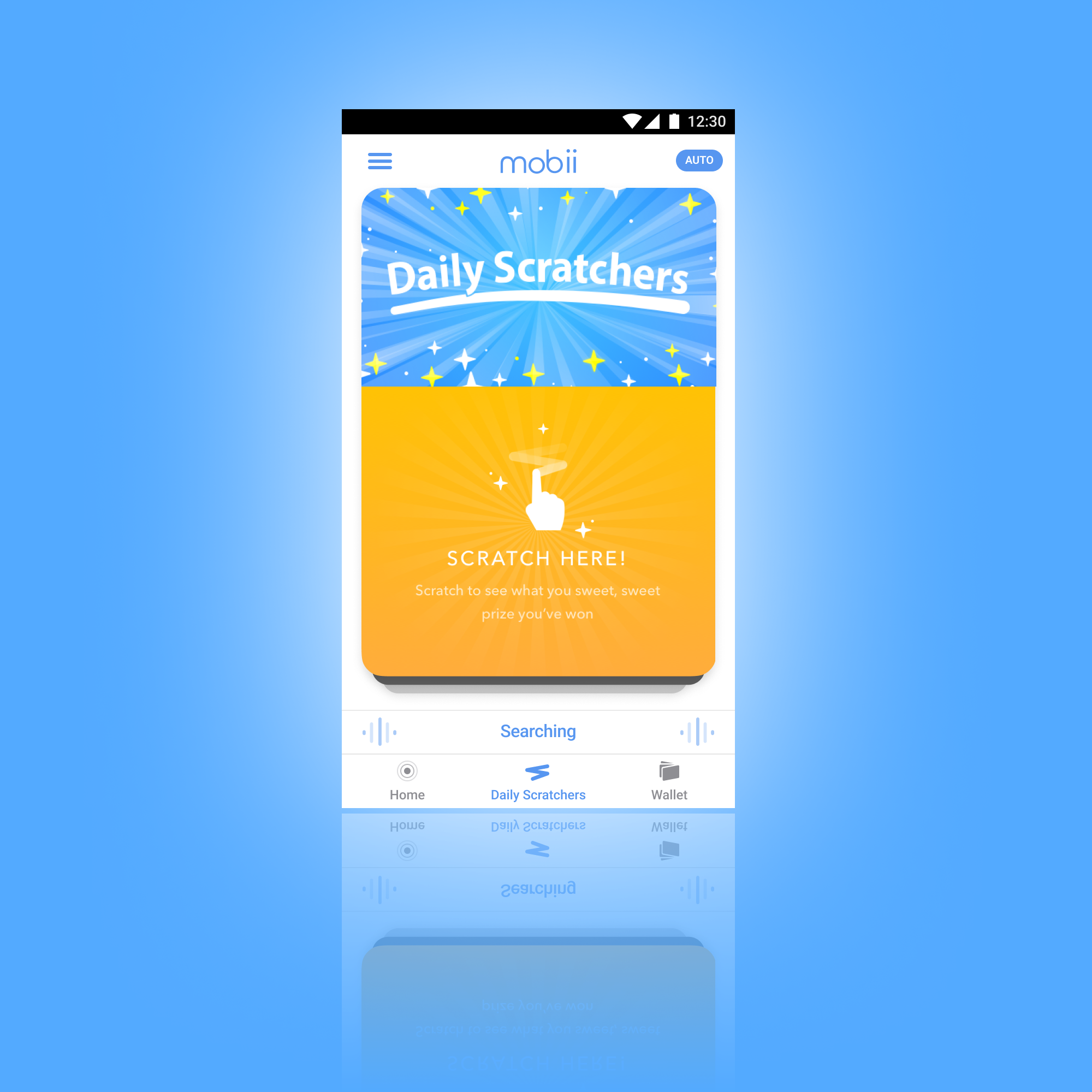
To re-engage users through interaction, I designed a Daily Scratcher content type with a touch-based overlay reveal, aligned to the updated visual language and built for flexible theming across campaigns.
  • Tactile engagement: Touch-to-reveal interaction introduces a simple, satisfying mechanic that encourages repeat use
  • Cohesive visual system: Styled to match the broader product language, ensuring the experience feels native and integrated
  • Campaign-ready theming: Structured for rapid adaptation across events, holidays, and promotions with minimal rework
  • Cross-platform alignment: Visual and structural consistency extends to web experiences through shared style architecture
A refreshed and redesigned Daily Scratchers experiences.
Partner Support

GSTV Partnership & System

Variable mapping and feature packaging for partnership deployments.

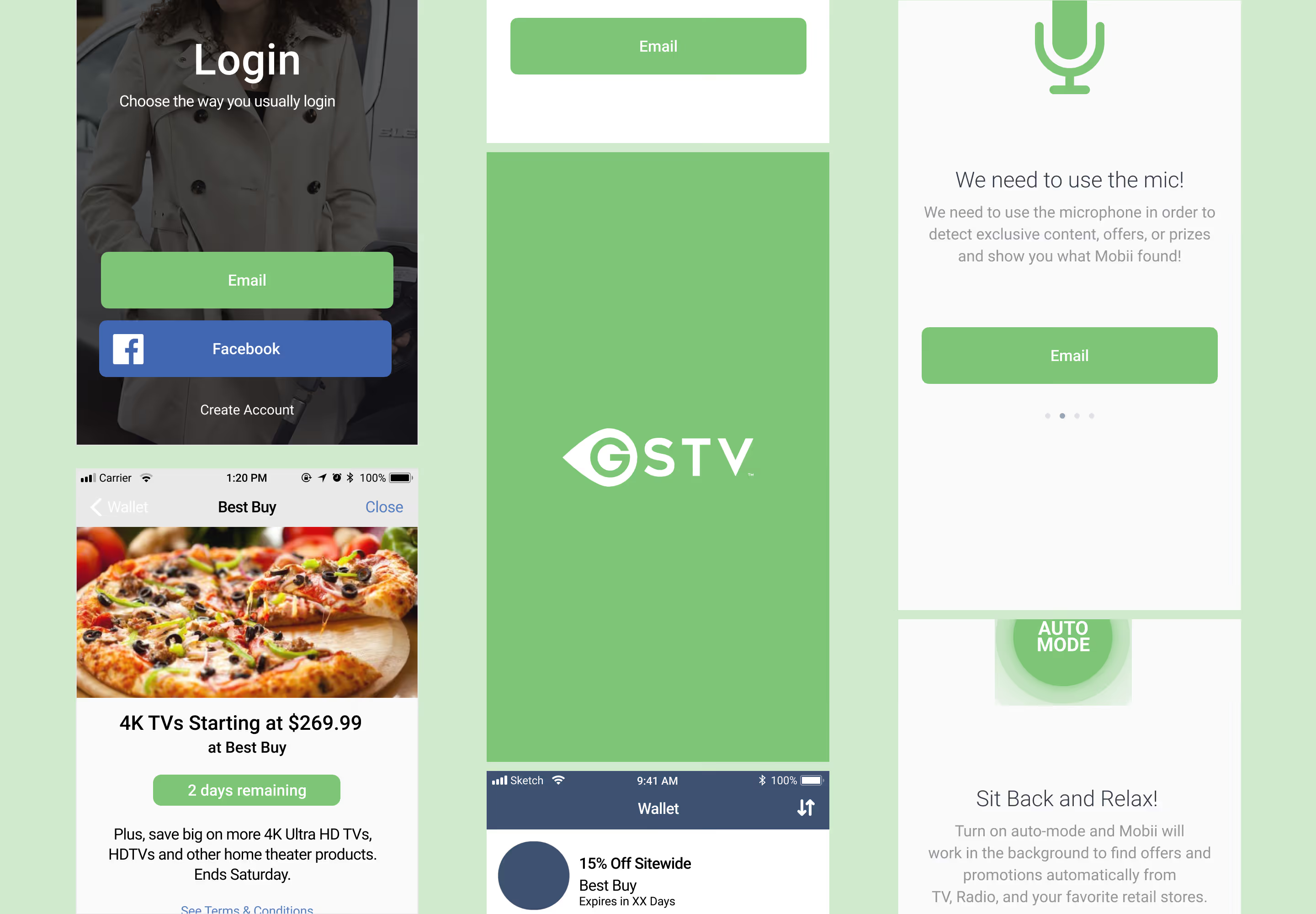
Based on business developments, I had the opportunity to design a white label app process that could be configured and adapted for client needs. Combined with mapped variables, packaged components and interaction sets, we could apply a partner’s style elements and business requirements and turn around a fresh app in about a day. The first transition from white label to partner app was with GSTV.
  • Rapid deployment: Ability to deliver a fully branded partner app in about a day
  • Scalable systemization: Reusable components and interaction sets enable consistent, repeatable builds across clients
  • Flexible customization: Easily adapt to different partner styles and business requirements without rebuilding from scratch
GSTV app deployed from the redesigned Mobii system.
Results

From Interaction to Partnership

We now had a content engine to support increased user interaction and retention with a clear roadmap to the future for partnership opportunities —— present and future.

Major milestones and updates:
  • 20,651 peak active installs
  • 657+ initial daily installs
  • Maintained a large recurring user base across entertainment campaigns
  • 20K+ active devices maintained
This version of the app was deployed during a partnership with Univision, GSTV, and AMC Networks, among others which then lead to conversations with a potential partners such as Diebold Nixdorf —— the objective.
Reflection

Takeaways

This project demonstrated that successful digital experiences rely on more than visual design alone — requiring strong systems, familiar interaction models, contextual content, and practical execution.

  • Engagement is a relationship between sutrcutre and content: Improving outcomes required rethinking delivery and interaction models, not just visual design
  • Systems enable speed and scale: Modular components and clear patterns made it possible to move quickly while supporting diverse partner needs, think holistically
  • Familiar patterns accelerate adoption: Leveraging known interaction models seem to reduce friction, improve adoption, and increase usability
  • Content needs context to perform: Relevance and timing proved more impactful than content volume alone, but we can't rely on other teams to make that happen —— product can design for it
  • Constraints can shape better solutions: Working within technical and organizational limits led to more focused, practical outcomes (I think my ephemeral interface would have struggled)
Contact Me

Want to create an experience? Let's make it together.

Use my form, send me an email at hello@johnhansen.design or schedule a call.
Thanks - your message was sent. I'll get back to you.
Something went wrong while submitting the form.